
Understanding the LED Battery and Juice Indicators on Your Beri Crush Vape Device
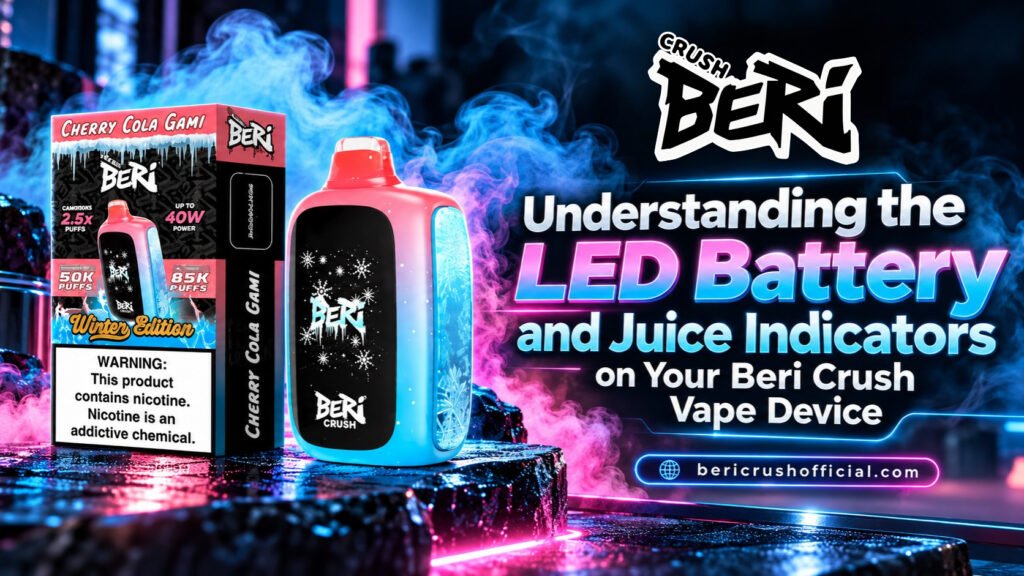
Table of Contents
- Introduction to Beri Crush Screen Indicators
- Understanding the Digital LED Display
- Reading Your Battery Percentage Level
- Monitoring E-Liquid Levels and Dry Hit Prevention
- Normal Mode vs. Crush Mode Indicator Differences
- How Charging Affects the Screen Display
- Common LED Display Troubleshooting Steps
- Final Thoughts on Maintaining Your Device
Vaping technology has shifted away from basic disposable sticks to sophisticated hardware equipped with smart displays. Modern vapers prefer knowing exact battery percentages and remaining e-liquid amounts instead of guessing when a device will stop firing.
The Beri Crush product line includes built-in digital screen indicators to help you track your device usage in real time. Reading these visual signals keeps your vape running smoothly and prevents unpleasant burnt tastes.
If you use high-capacity hardware like the Beri Crush 50k Puffs disposable, keeping track of power output and juice levels becomes critical. This guide explains how the front-facing LED screen functions, what each reading means, and how to keep your device operating properly.
Understanding the Digital LED Display
The high-definition screen on your device activates automatically when you take a draw or press the side control button. It provides live data about your vaping parameters, so you do not have to guess how much battery charge or e-liquid remains inside the 20mL tank.
Special seasonal releases like the Beri Crush 50k Winter Edition feature the same screen layout while delivering themed flavor profiles. The display turns off after a few seconds of inactivity to preserve power. The interface organizes information into separate sections:
- Battery Indicator: Shows exact charge percentages or bar graphs.
- Juice Level / Puff Counter: Tracks remaining liquid or total draws.
- Power Output Setting: Displays whether you are in Normal or Crush mode.
Reading Your Battery Percentage Level
The battery indicator appears on the display screen as a numerical percentage or a segmented icon. The device houses an internal 1000mAh rechargeable battery designed to fire the quad mesh coil system efficiently.
Monitoring the percentage level helps you avoid carrying a dead vape throughout the day:
- 100% to 30%: Plenty of power for regular use.
- 29% to 10%: Low battery warning; consider finding a USB-C cable soon.
- Below 10%: The light on the screen may flash red or blink repeatedly, signaling an immediate need for charging.
Monitoring E-Liquid Levels and Dry Hit Prevention
Running out of juice while firing the coil causes dry hits, which damage the internal wick and create a harsh, burnt flavor. The e-liquid monitoring system alerts you when fluid levels drop too low.
The screen uses a dropping liquid icon alongside a puff tracker to estimate capacity. Exploring popular Beri Crush Vape Flavors like Alaskan Mint or Triple Berry gives you smooth hits, but once the juice indicator drops down to the final bar, the coil is nearly dry. Replacing the device before the e-liquid reads zero ensures consistent flavor output.
Normal Mode vs. Crush Mode Indicator Differences
Your device offers two primary operational settings that affect power draw, vapor density, and screen feedback:
- Normal Mode (15W–25W): Offers up to 50,000 draws. The screen displays standard battery drain and steady e-liquid usage.
- Crush Mode (Max Output up to 40W): Delivers bigger clouds and stronger throat hits, but reduces total output to roughly 25,000 draws.
When switched to Crush Mode, the screen shows a unique mode icon. You will notice the battery percentage dropping faster in this mode because of the higher wattage.
How Charging Affects the Screen Display
When you plug a USB-C cable into the bottom port, the display screen turns on immediately. It displays an animated charge status that reflects battery gains in real time.
Thanks to fast-charging technology, the 1000mAh battery climbs from 0% to 80% capacity in about 15 minutes. Unplug the cable once the display reads 100% to avoid unnecessary heat buildup inside the housing.
Common LED Display Troubleshooting Steps
Sometimes the screen behaves unexpectedly. Here are simple steps to clear common display issues:
- Screen turns off during usage: The screen naturally shuts off a few seconds after your last puff to save power. Take another draw to wake it up.
- Blinking screen icons: Flashing signals either a dead battery or fully depleted e-liquid. Try charging first. If it blinks continuously on a full charge, the liquid has run out.
- Faint display output: If the screen looks dim in standard indoor lighting, clean the protective lens with a microfiber cloth to remove pocket lint or fingerprints.
Final Thoughts on Maintaining Your Device
Knowing how to read your vape’s LED screen takes the guesswork out of daily maintenance. By checking battery percentages and e-liquid meters regularly, you prevent surprise power loss and avoid harsh dry hits. If you need to pick up a replacement device or new flavor, searching for Beri Crush Vape Near Me will locate nearby smoke shops and vape retailers carrying stock.
How do I know when my Beri Crush battery is full?
The LED screen displays a live percentage counter while plugged in via USB-C. Once the screen displays a solid 100% reading, the device is fully charged.
Why is my Beri Crush display screen flashing red?
A flashing light or screen icon indicates a low battery below 10% capacity. Plug your vape into a USB-C charger for 15 minutes to clear the warning.